Ticket classification and triage is the work of reading something that just arrived — a support ticket, a GitHub issue, a crash report, a paper submission, a job application — and deciding what it is, who owns it and how urgent it is. It is high volume, repetitive and consequential: a mis-routed outage ticket costs hours, a buried urgent issue costs customers. This page compares the usual approaches to automated triage and shows how to build it with typed Jev decisions.
Why triage is worth automating
Manual triage does not scale linearly. Queues grow, rotations burn people out, and the first hour after something arrives — when routing matters most — is when it is least likely to be read. Automation helps when it does three things reliably:
- Puts each item in one known category or team.
- Assigns a priority on a scale everyone understands.
- Knows when to ask a human instead of guessing.
The same pattern covers customer support routing, GitHub issue classification, crash report screening, research paper triage and resume screening.
Common approaches and trade-offs
Keyword rules and forms. Dropdowns, required fields, regexes on subjects. Cheap and predictable, but users pick the wrong dropdown and describe problems in their own words.
Traditional text classifiers. Logistic regression, gradient boosting or a fine-tuned small transformer on historical labels. Fast and cheap at inference, often accurate on a stable taxonomy. The costs are upfront: labelled data, training pipelines, and retraining every time a team is renamed or a product launches.
Prompted LLMs. Describe the categories, ask for JSON. No training, flexible taxonomy, good with messy language. But each ticket costs a full generative call, outputs occasionally include invented categories or broken JSON, and the "confidence" is whatever number the model chose to write.
Zero-shot embeddings. Compare the ticket with category descriptions in vector space. Cheap, but topic similarity is not ownership: "refund for the outage" belongs to billing, not to reliability.
How Jev's typed decisions fit
Jev, from TypeSafe AI, takes the ticket as state and answers typed questions:
- Choice for category, team or queue — up to 255 options, each with a description. You get the chosen option and a probability for every option.
- Score for urgency or severity on an ordered scale of 2 to 10 levels described in words, such as
low,normal,high,outage. - Noul for yes/no flags as a probability between 0 and 1:
needs_human,mentions_legal_threat,is_duplicate_candidate.
Because categories live in the request, a taxonomy change ships with your next deploy. Outputs are always inside the schema. TypeSafe reports 70–500 ms per request, and Jev 1.13 costs $0.042 per million input tokens on Flatkey with free output, so classifying every incoming item is a small cost next to the human time it saves.
Triage architecture walkthrough
- Normalise the input. Subject, body, a few structured fields (plan, product area, reporter role). Strip signatures and quoted history.
- Run deterministic routes first. VIP accounts, security keywords that must page someone, items from monitoring systems.
- Ask Jev once. Category Choice, urgency Score, needs_human Noul.
- Apply thresholds per category. Auto-assign when confidence clears the bar; send the rest to a general triage queue. High urgency with low confidence should page a person rather than wait.
- Write back typed fields. Set labels, assignee and priority in your helpdesk or issue tracker so dashboards and SLAs work.
- Close the loop. When a human re-routes an item, log it. Those corrections are your evaluation set.
Choosing question types for triage
| Decision | Question type | Example options or levels |
|---|---|---|
| Which team owns it | Choice | billing, auth, api, mobile, other |
| How urgent | Score | low → normal → high → outage |
| Needs a person first | Noul | probability from 0 to 1 |
| Possible duplicate | Noul | probability from 0 to 1 |
| Issue type | Choice | bug, feature_request, question, docs |
Two practical notes. First, write each option description from the receiving team's point of view ("billing: charges, refunds, invoices, plan changes; not login problems"). Descriptions are your policy, and vague ones produce split probabilities. Second, keep urgency as a Score rather than a Choice: the ordered scale lets your code reason about "at least high," and the level probabilities show whether the model hesitated between two adjacent levels.
For GitHub issues, the same request can label type, area and whether reproduction steps are present, which lets a bot ask the reporter for missing details before a maintainer ever looks. For crash reports and paper submissions, add a Noul for "contradicts the structured fields" to catch records whose narrative disagrees with the coded data.
Pitfalls and evaluation tips
- Taxonomy debt. Categories that overlap ("Account" vs "Login") split probability and lower confidence. Fix the taxonomy before tuning thresholds.
- Class imbalance. Rare but critical categories (security, legal) need their own review of misses; overall accuracy hides them.
- Measure re-route rate. In production the best signal is how often humans move an auto-routed item.
- Bias in screening. For resumes and other people-related decisions, keep protected attributes out of the state, audit outcomes by group, and keep a human decision for anything consequential.
- Confident errors exist. Spot-check high-confidence items too, not only the low-confidence queue.
When not to use Jev
If a structured field already determines the route, use it. If you have a mature, well-performing classifier on a taxonomy that never changes, keep it and maybe use Jev only for the long tail. And Jev should not write the response; pair it with a generator or a person.
Glossary
- Triage: deciding category, owner and priority for incoming work.
- Taxonomy: the set of categories items are sorted into.
- Re-route rate: share of auto-assigned items moved by a human.
- SLA: the response-time promise tied to priority.
- Catch-all: an
otheroption that keeps unusual items out of real queues.
Open a use case below to run the demo and copy the code.
Classification & Triage use cases
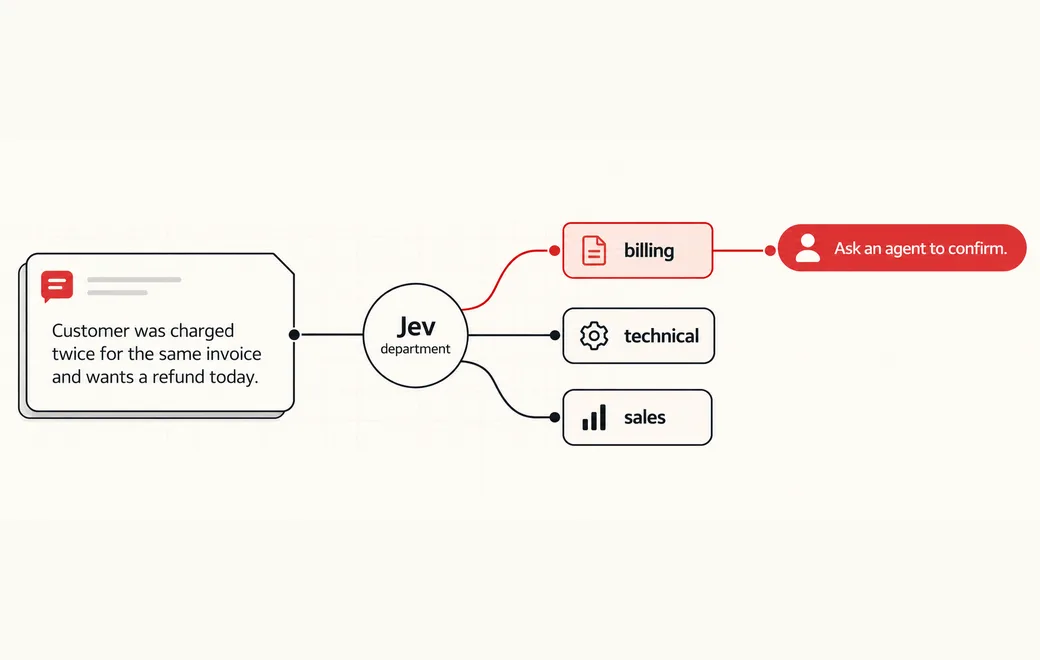 Workflow
Route support tickets by department and urgency
A Choice, Score and Noul workflow for ticket ownership, urgency and human review.
See the workflow →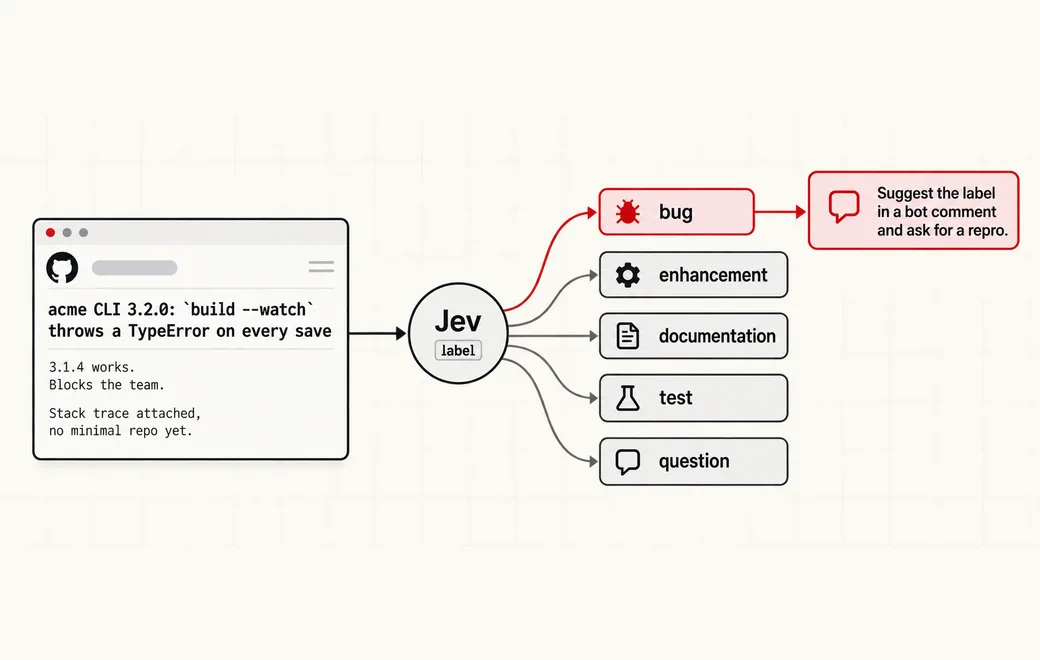 Developer tools
Label and prioritize new GitHub issues
Label, prioritize and flag missing repros on new GitHub issues with typed Choice, Score and Noul questions, then auto-label only when confidence is high.
See the workflow →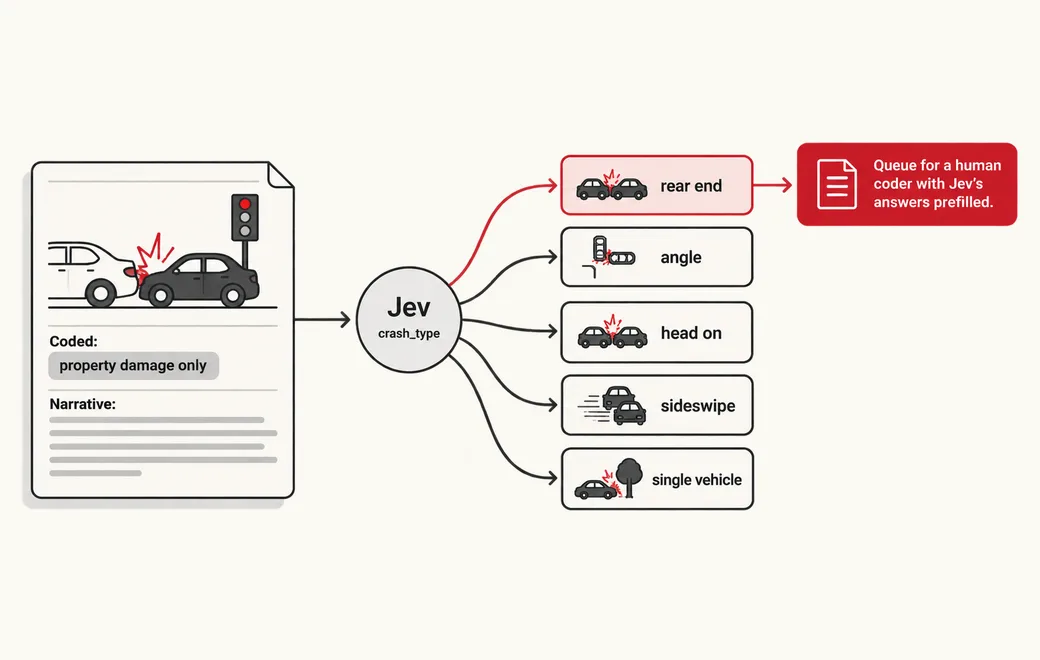 Data extraction
Screen crash narratives against a schema
Screen free-text crash and incident narratives against a fixed question schema, write the answers as columns and flag narratives that contradict the coded fields.
See the workflow →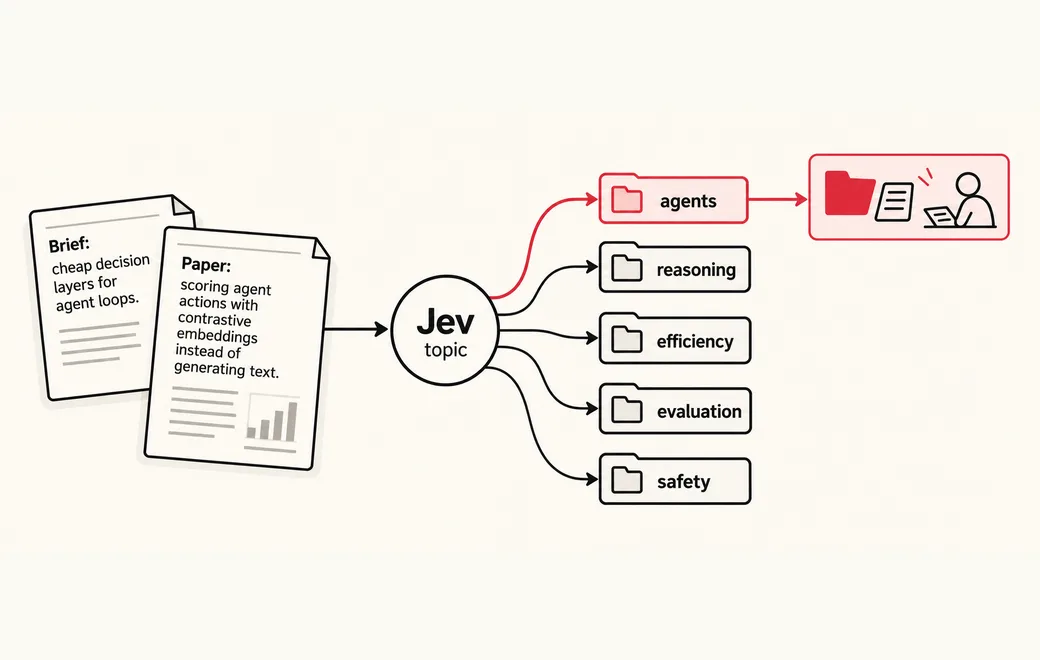 Research
Triage research papers by topic and relevance
Sort a flood of research papers by topic and relevance to your brief with typed questions, so people only read what matters.
See the workflow →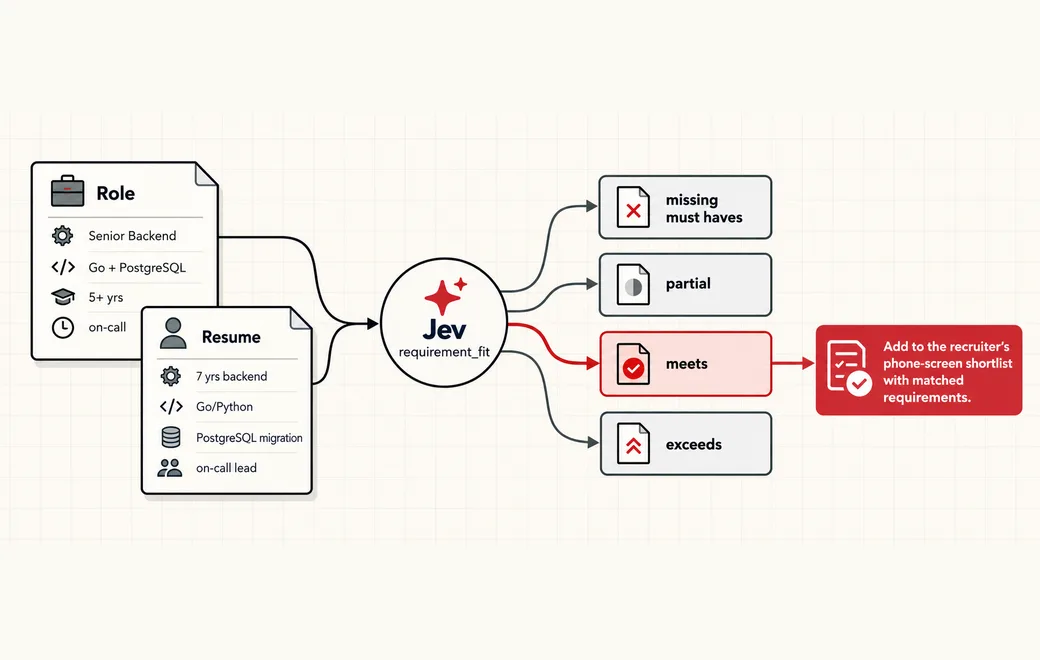 Recruiting
Screen resumes against a role
Screen resumes against a role with typed Choice, Score and Noul questions, shortlist only confident matches and keep a human on every rejection.
See the workflow →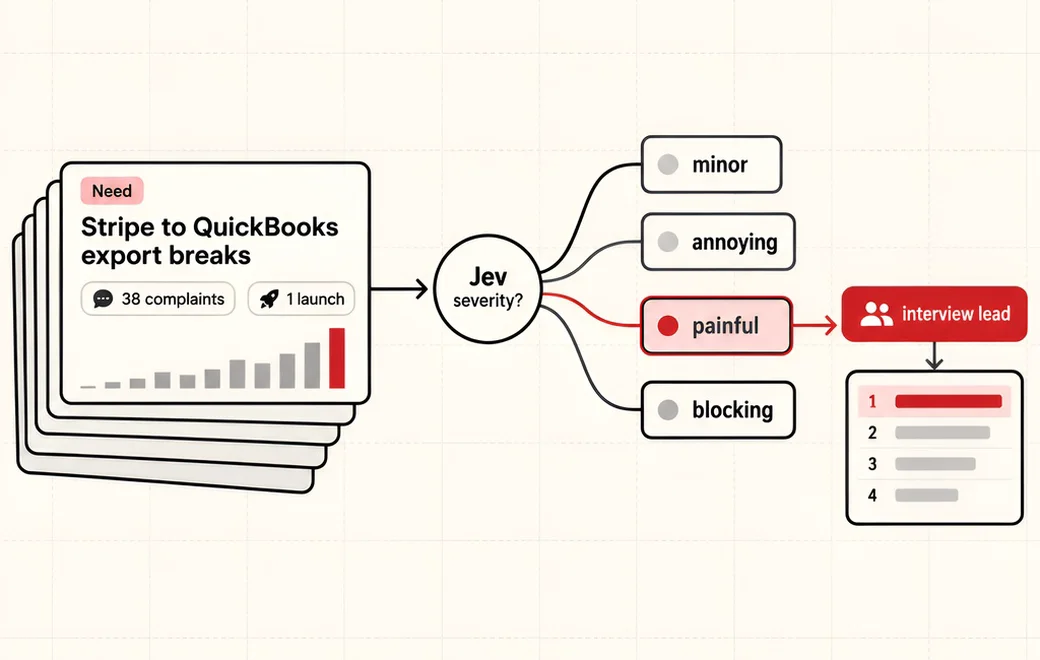 Product discovery / Needs ranking
Classify every product need from complaint data so a weighted ranking shows which problems are worth customer interviews
Turn a pile of user complaints into a ranked list of product needs. Jev labels each need's type, severity and whether recent launches already solve it; your code applies user-tunable weights and sorts.
See the workflow →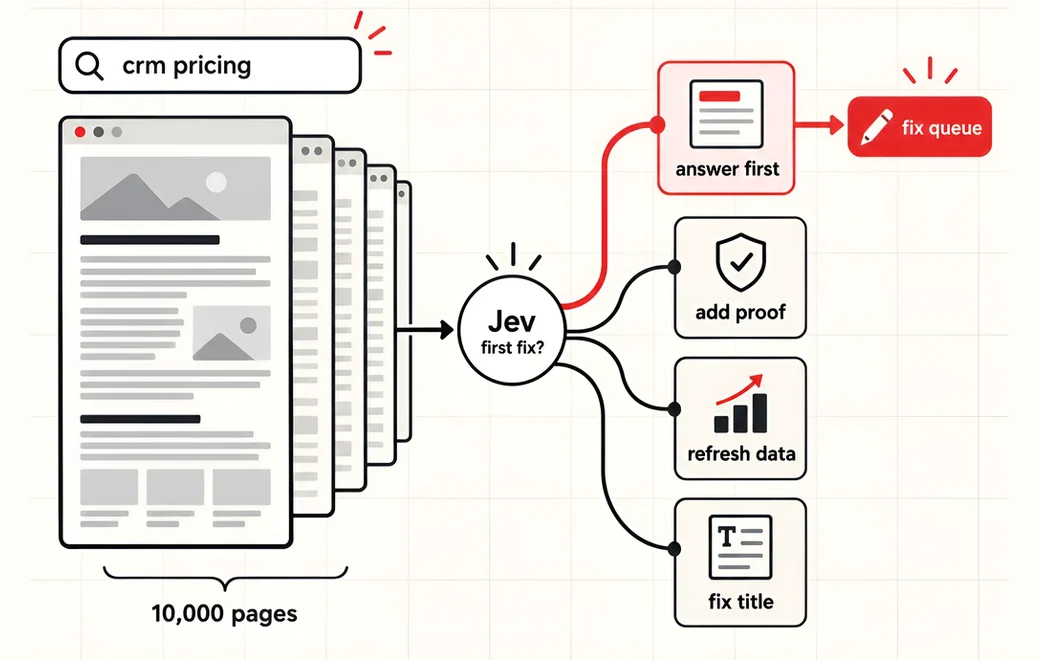 SEO / GEO audits
Judge every page and query pair on a site (buyer intent, intent match, chance of being cited by AI assistants, first fix) cheaply enough to run on all URLs every month, then hand only the pages that need work to a writing model
Run an SEO/GEO audit on every page instead of a sample. Jev judges query intent, page match, AI citation chance and the first fix for each URL in one parallel call; an LLM only writes the fixes.
See the workflow →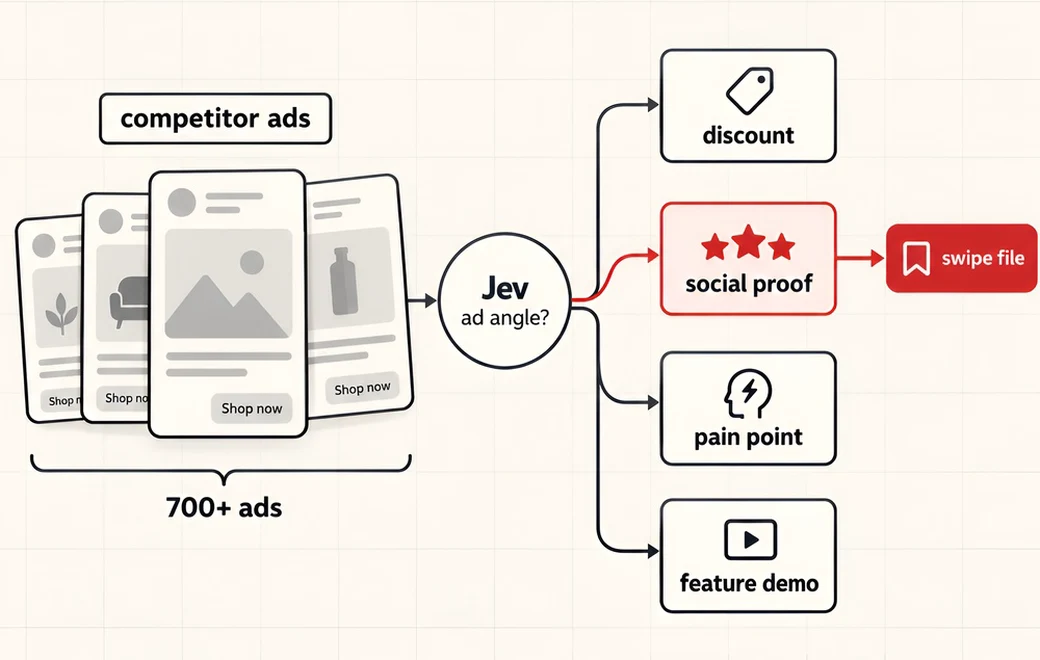 Ad intelligence
Classify every live ad in a competitor's ad library (creative angle, funnel stage, whether it carries an offer, how strong it is) cheaply and fast enough to scan thousands of ads across many brands, then let code count angles per brand and pull the standouts into a swipe file
Scan a competitor's whole ad library instead of scrolling it. Jev tags every live ad with its creative angle, funnel stage, offer and strength in one parallel call, so code can map what each brand is testing.
See the workflow →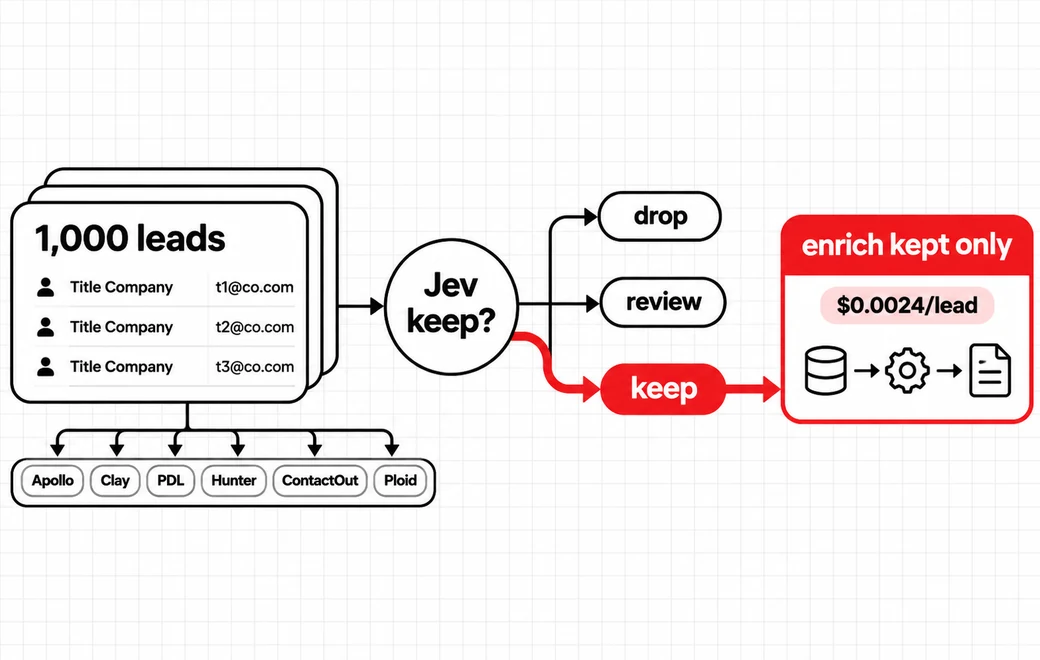 Lead gate / People search
Gate paid people-search enrichment so agents only buy contact data for leads worth keeping
Run ~1,000 leads through Jev before a waterfall across Apollo, Clay, People Data Labs, Hunter, ContactOut and Ploid. Pay enrichment only on leads Jev kept—about $0.0024 per lead instead of $2,000 subscriptions.
See the workflow →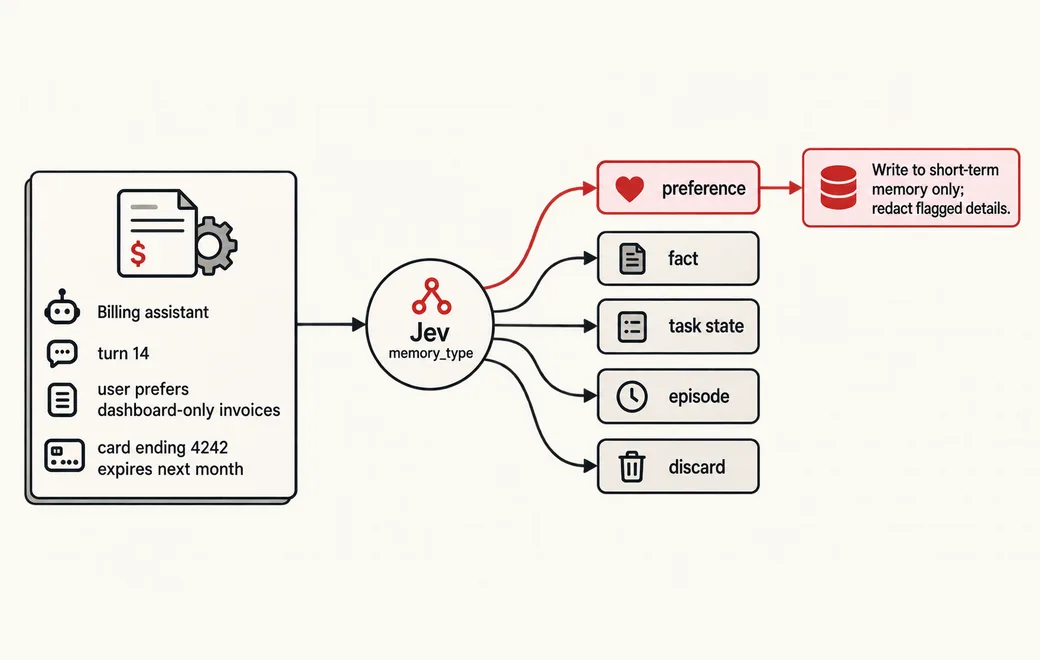 Agents · also fits
Decide what an agent writes to memory
Decide what an AI agent writes to memory with typed questions (memory type, importance, sensitive data), and keep the expensive model for synthesis only.
See the workflow →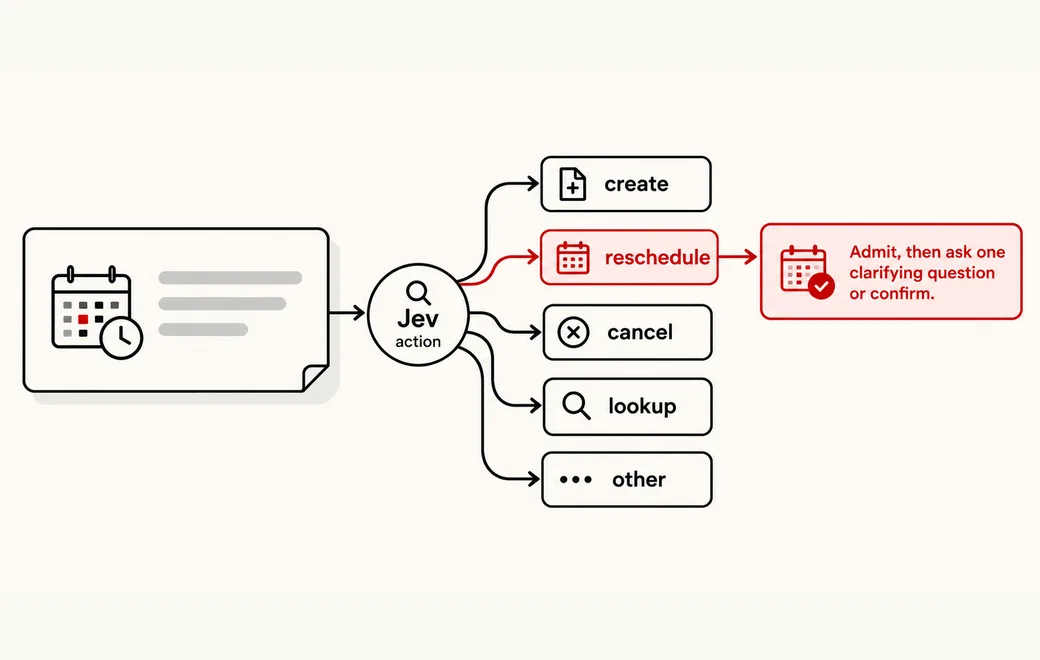 Routing · also fits
Extract typed intent fields at the edge
Turn a user request into four bounded intent fields in one Jev call, then validate, admit and schedule it in ordinary code instead of waiting on an LLM parser.
See the workflow →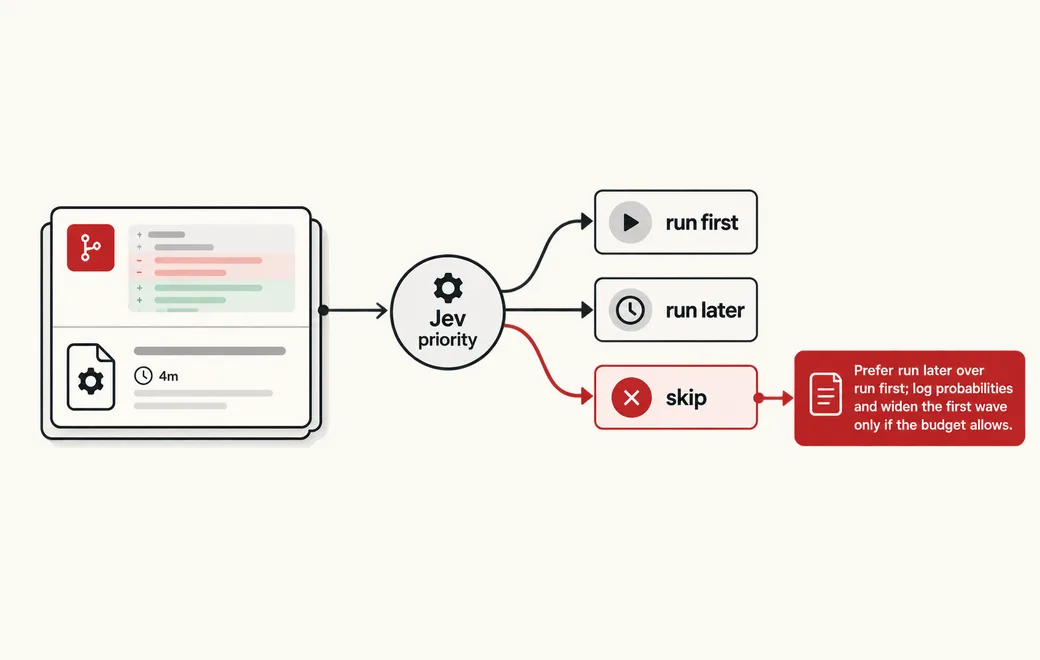 CI / Test selection · also fits
Pick which tests to run first for a given diff
Given a diff and a candidate test, decide run_first, run_later, or skip—with a relevance score and a covers_diff flag—so CI spends the budget on tests that actually protect the change.
See the workflow →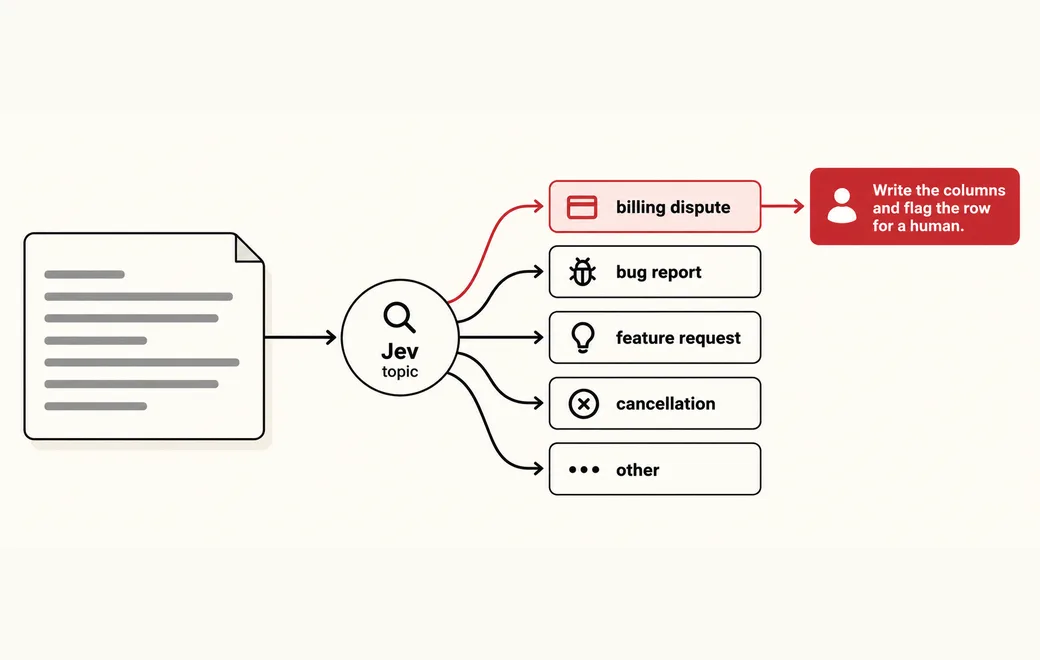 Data extraction · also fits
Turn text into typed columns
Ask many bounded questions about the same text in one Jev call and store the answers as typed columns that SQL, dashboards and rules can use.
See the workflow →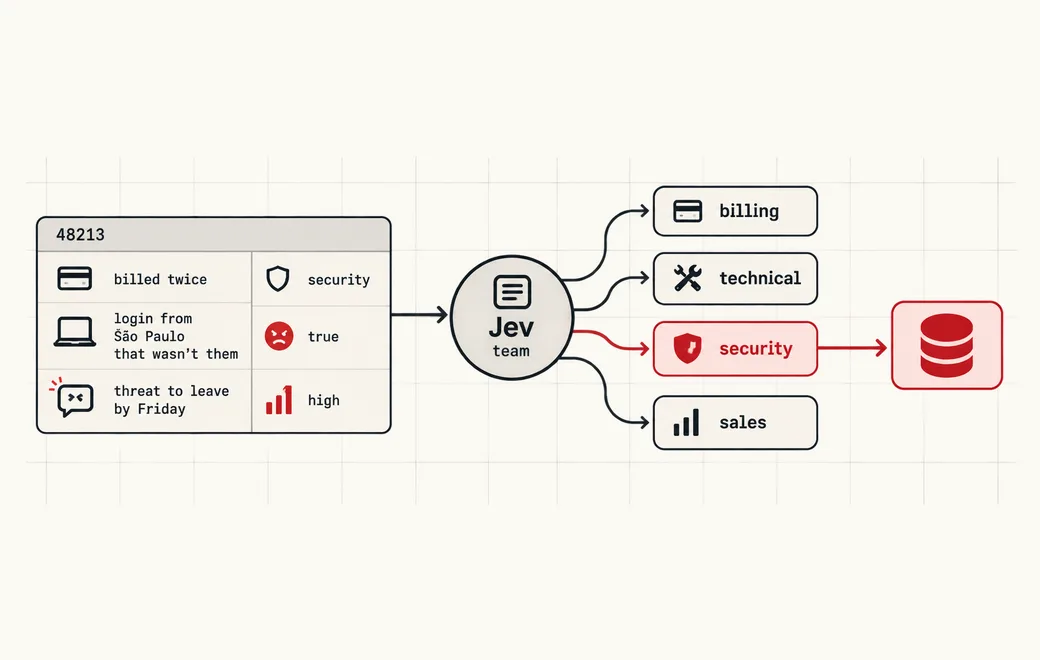 Data / Semantic SQL · also fits
Turn free-text rows into typed SQL columns: a boolean filter, an ENUM routing value and a sortable score
WHERE clauses can't read meaning. Ask Jev plain-English questions per row—"is this customer angry?", "which team owns this ticket?", "how urgent is it?"—and get typed Noul, Choice and Score answers you can store as a boolean predicate, an ENUM column and a sortable value in DuckDB or any SQL engine.
See the workflow →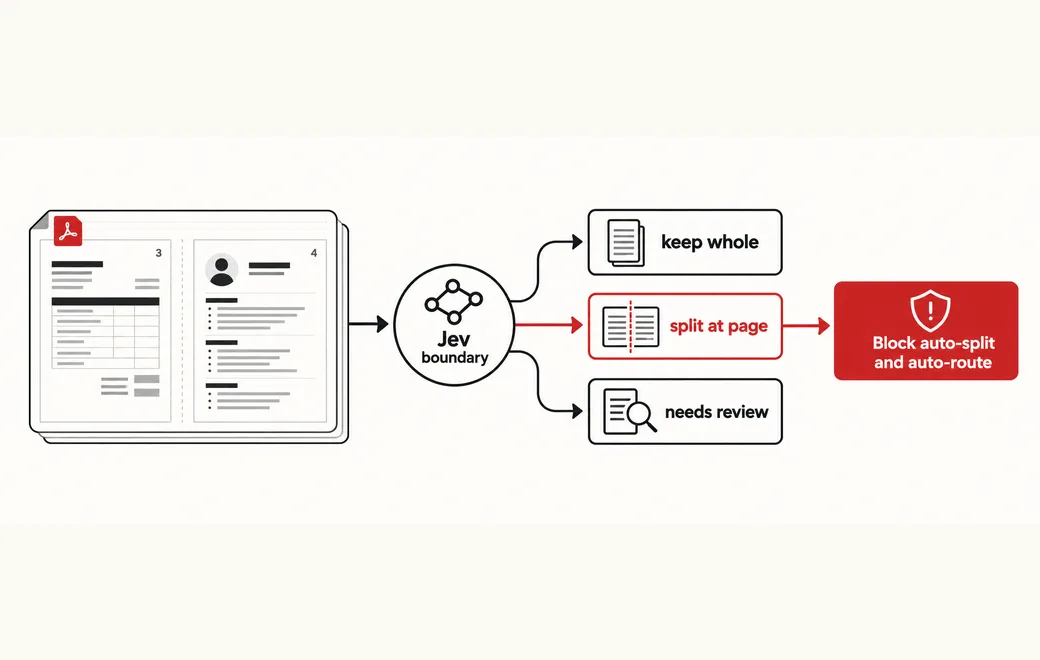 Documents · also fits
Classify inbox documents and decide multi-doc PDF split boundaries
After LiteParse (or similar) extracts text from an inbox PDF, let Jev classify the document and decide keep_whole / split_at_page / needs_review at candidate boundaries—plus a needs_human flag—so routing and multi-doc splits stay typed and gated in code.
See the workflow →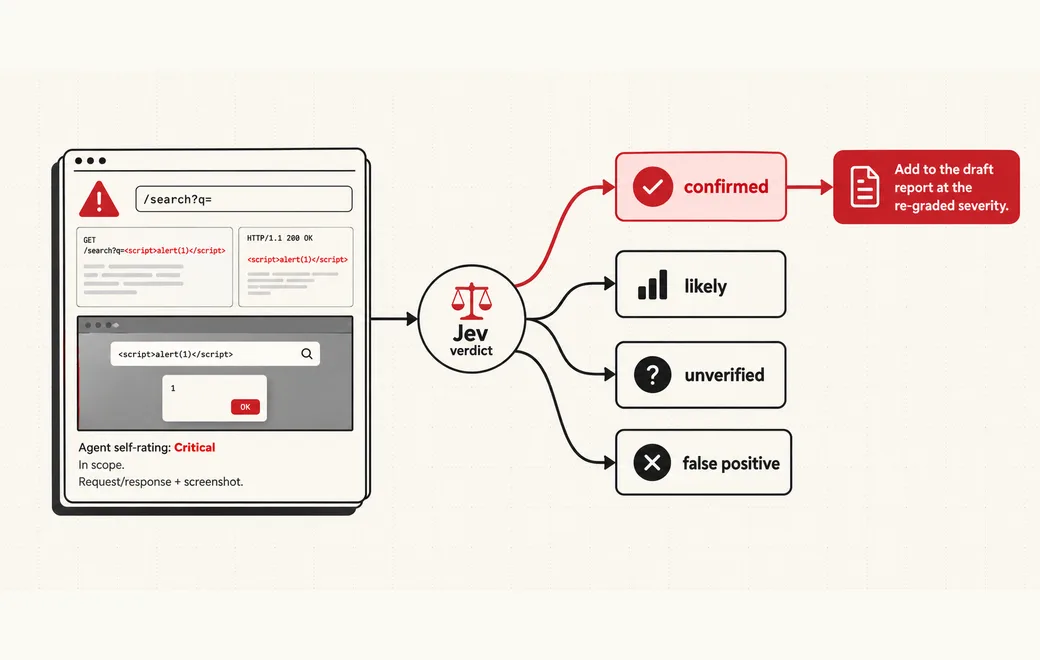 Security · also fits
Validate pentest agent findings
Pass every finding from a pentest agent through four typed gates (adjudicate, re-grade, prune, confirm) before it reaches the report, so the finder never grades its own work.
See the workflow →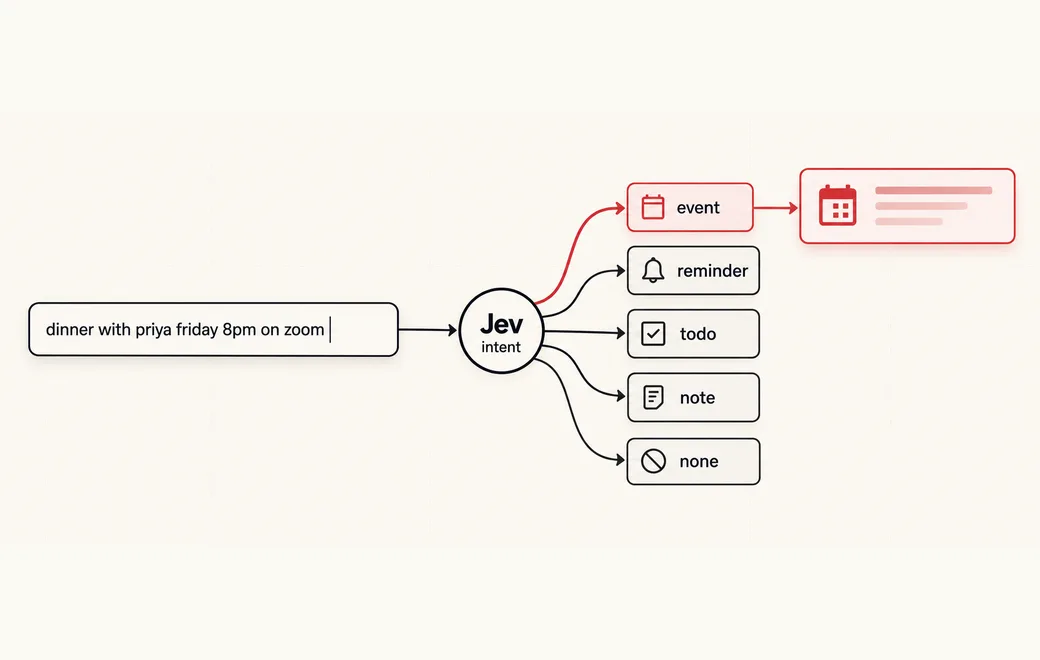 UI · also fits
Morph a text box into the right UI
Morph one text box into the right UI card as the user types: Jev classifies intent and signals in one call, code parses every value.
See the workflow →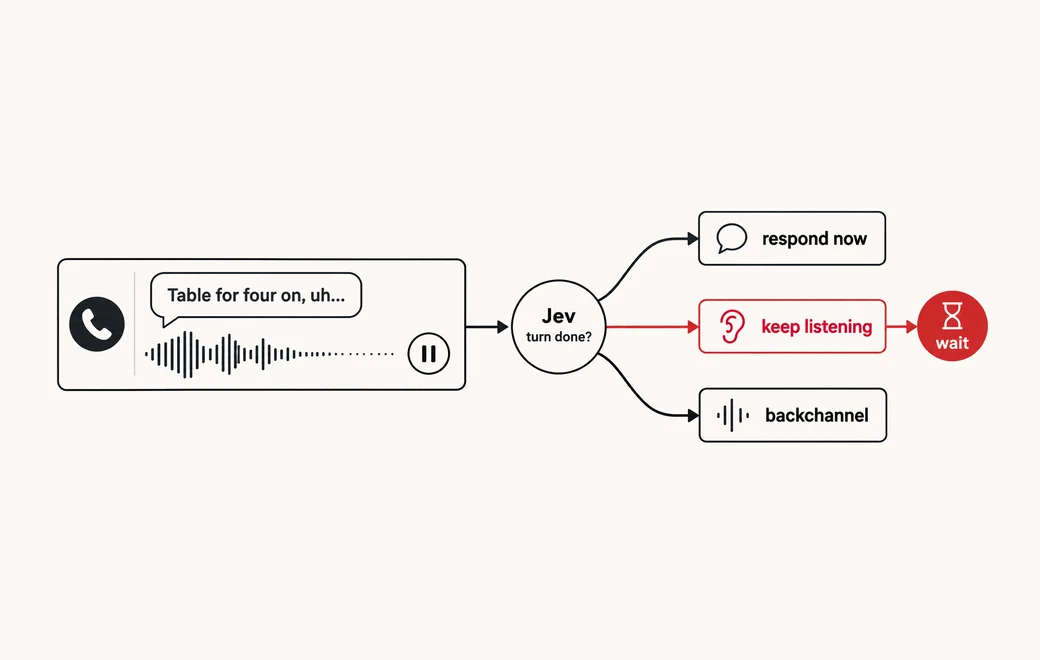 Voice agents / Turn-taking · also fits
Decide whether a voice agent should reply now or keep listening when the caller goes quiet
A caller pauses mid-sentence. Ask Jev whether the turn is done—respond now, keep listening, or backchannel—so a voice agent stops waiting on a fixed silence timer or a chat-model round trip.
See the workflow →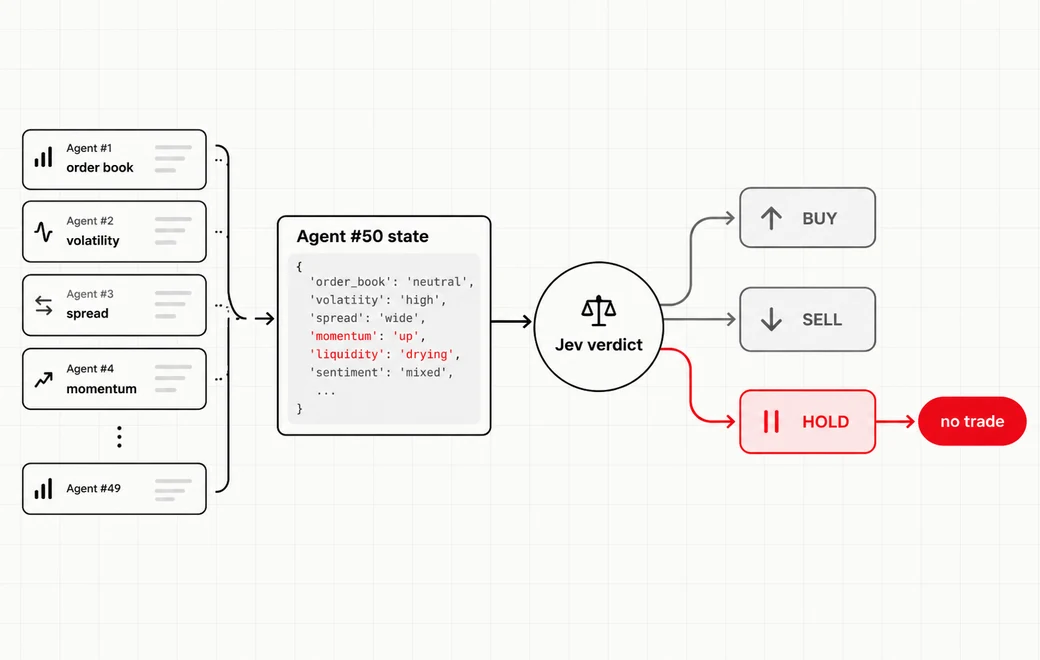 Multi-agent desk / Bounded call · also fits
Turn a synthesized multi-agent market state into a bounded BUY / SELL / HOLD call
After dozens of specialist agents scan a market, compress their signals into one structured state and ask Jev a bounded BUY / SELL / HOLD call—so the expensive model never drowns in raw noise.
See the workflow →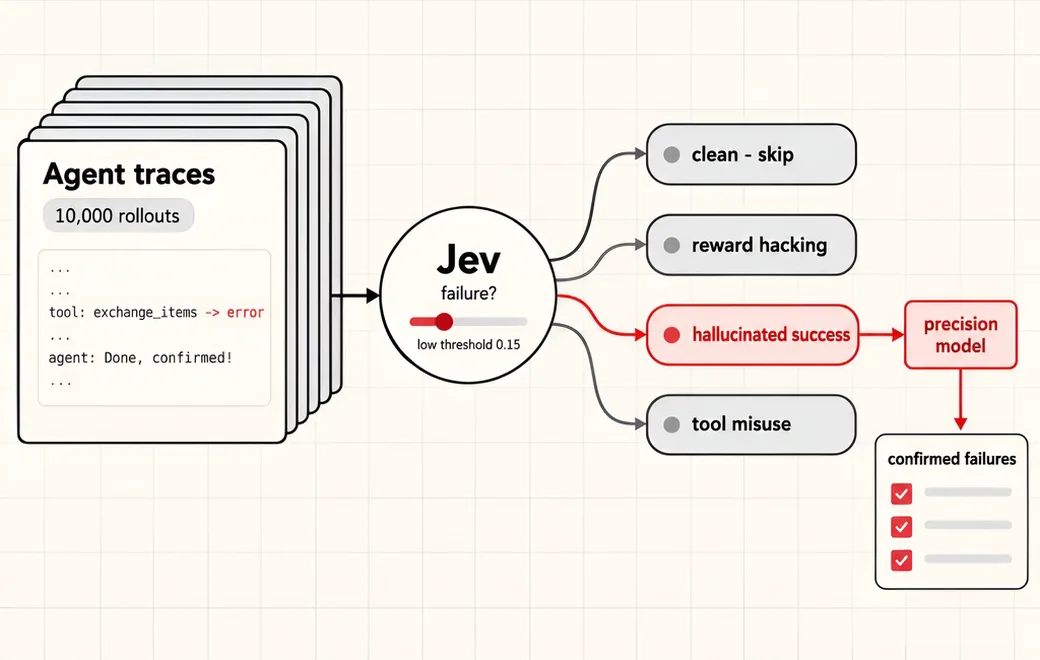 Agent observability / Failure triage · also fits
Tag every agent trace with a calibrated failure probability and failure mode, so a low threshold catches almost every failure and only the flagged slice goes to a slower high-precision reviewer
Screen millions of agent traces for reward hacking, hallucinated success and tool misuse. Jev scores every trace cheaply with calibrated probabilities; a low threshold keeps recall high and only flagged traces go to an expensive precision model.
See the workflow →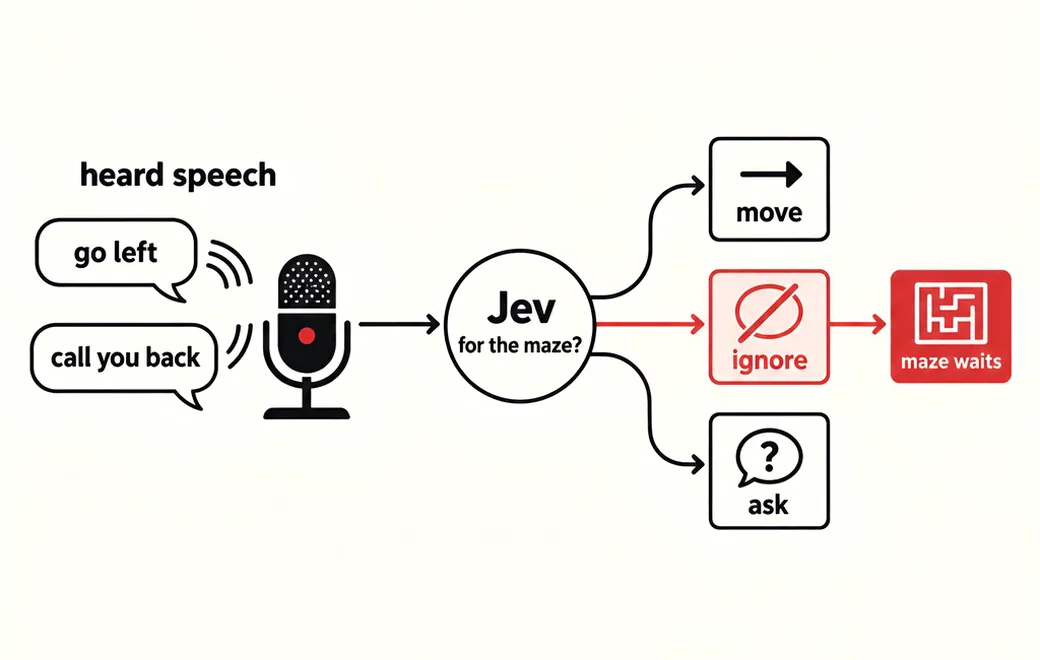 Voice apps / Relevance · also fits
Decide, on every end-of-turn event, whether the speech was addressed to the voice app at all and, if so, which command it maps to, so side conversations and filler are ignored instead of turned into actions
A voice-steered app hears everything in the room. Ask Jev whether each finished turn was meant for the app and which command it is, so a phone call at the next desk never moves the game.
See the workflow →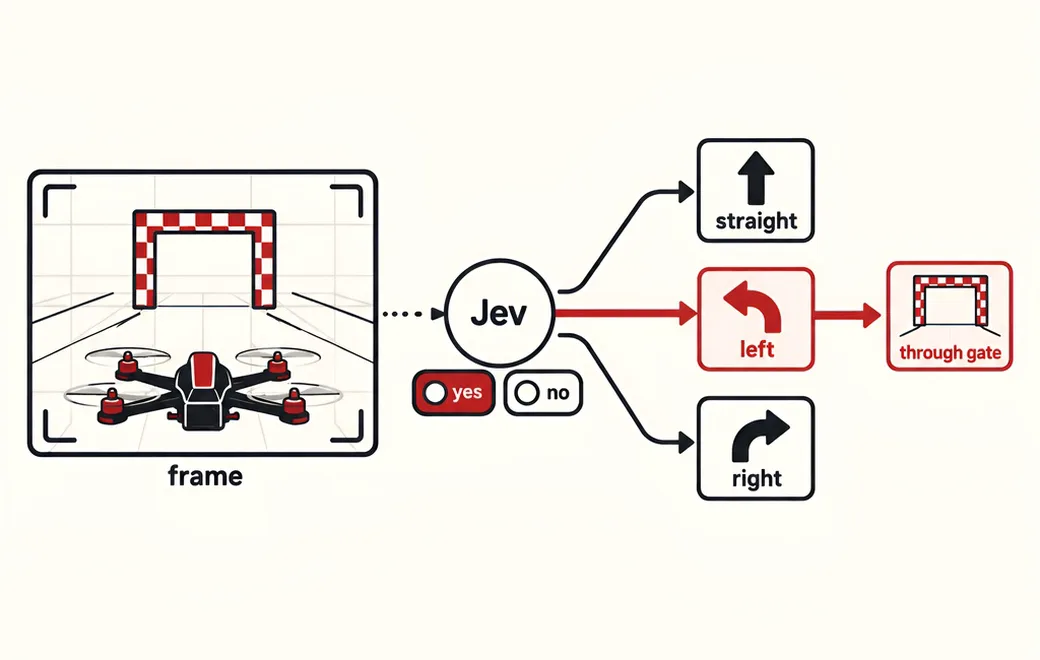 Games / Real-time control · also fits
On every camera frame, decide whether the next gate is visible and where it sits relative to the drone, so deterministic flight code can steer, climb or hold without waiting on a slow chat model
Fly a racing drone frame by frame: send each camera snapshot to Jev as a few narrow yes/no questions, and let code turn the probabilities into stick inputs. In one public test, Jev with yes/no answers out-flew multiple choice and CLM-8B.
See the workflow →Copy the code
The request behind Use Jev for support-ticket routing, calling Jev 1.13 on Flatkey. Set FLATKEY_API_KEY and run it as is, then swap in your own state and questions.
curl -sS https://router.flatkey.ai/api/alpha/decisions \
  -H "Authorization: Bearer $FLATKEY_API_KEY" \
  -H "Content-Type: application/json" \
  -d '{
  "model": "typesafe/jev-1.13",
  "state": "Customer was charged twice for the same invoice and wants a refund today.",
  "questions": {
    "department": {
      "type": "choice",
      "criteria": {
        "billing": "Payments, invoices, refunds or subscriptions",
        "technical": "Bugs, APIs or integrations",
        "sales": "Plans, pricing or sales questions"
      },
      "instructions": "Pick the department that best fits the state."
    },
    "urgency": {
      "type": "score",
      "criteria": [
        "normal",
        "elevated",
        "urgent",
        "critical"
      ],
      "instructions": "Rate the urgency of the state."
    },
    "needs_human": {
      "type": "noul",
      "instructions": "Is this true for the state: needs human?"
    }
  }
}'
// Node.js 18+ (built-in fetch). Run: FLATKEY_API_KEY=... node jev.mjs
const body = {
"model": "typesafe/jev-1.13",
"state": "Customer was charged twice for the same invoice and wants a refund today.",
"questions": {
"department": {
"type": "choice",
"criteria": {
"billing": "Payments, invoices, refunds or subscriptions",
"technical": "Bugs, APIs or integrations",
"sales": "Plans, pricing or sales questions"
},
"instructions": "Pick the department that best fits the state."
},
"urgency": {
"type": "score",
"criteria": [
"normal",
"elevated",
"urgent",
"critical"
],
"instructions": "Rate the urgency of the state."
},
"needs_human": {
"type": "noul",
"instructions": "Is this true for the state: needs human?"
}
}
};
const res = await fetch("https://router.flatkey.ai/api/alpha/decisions", {
method: "POST",
headers: {
Authorization: `Bearer ${process.env.FLATKEY_API_KEY}`,
"Content-Type": "application/json",
},
body: JSON.stringify(body),
});
if (!res.ok) throw new Error(`Jev request failed: ${res.status} ${await res.text()}`);
const { answers, usage } = await res.json();
console.log(JSON.stringify(answers, null, 2), usage);# Python 3.8+ (pip install requests). Run: FLATKEY_API_KEY=... python jev.py
import json, os, requests
body = json.loads(r"""{
"model": "typesafe/jev-1.13",
"state": "Customer was charged twice for the same invoice and wants a refund today.",
"questions": {
"department": {
"type": "choice",
"criteria": {
"billing": "Payments, invoices, refunds or subscriptions",
"technical": "Bugs, APIs or integrations",
"sales": "Plans, pricing or sales questions"
},
"instructions": "Pick the department that best fits the state."
},
"urgency": {
"type": "score",
"criteria": [
"normal",
"elevated",
"urgent",
"critical"
],
"instructions": "Rate the urgency of the state."
},
"needs_human": {
"type": "noul",
"instructions": "Is this true for the state: needs human?"
}
}
}""")
res = requests.post(
"https://router.flatkey.ai/api/alpha/decisions",
headers={"Authorization": f"Bearer {os.environ['FLATKEY_API_KEY']}"},
json=body,
timeout=60,
)
res.raise_for_status()
data = res.json()
print(json.dumps(data["answers"], indent=2), data.get("usage"))FAQ
What is AI ticket classification?
Automatically assigning each incoming ticket, issue or report to a category, an owner and a priority, so the right team sees it first. It replaces or assists a manual triage rotation.
How is Jev different from a traditional text classifier?
A traditional classifier is trained on labelled examples for a fixed label set. With Jev you describe the labels in the request, so changing categories is a schema change rather than a retraining project, and you get per-option probabilities back.
Can one request classify category, urgency and review need?
Yes. Put a Choice for the category or team, a Score for urgency on an ordered scale, and a Noul for needs_human in the same request. They are answered together against one read of the ticket.
How many categories can I use?
TypeSafe says a Jev Choice supports up to 255 options. Triage usually works best with 5–30 clearly distinct categories plus an 'other' bucket.
Should low-confidence tickets be auto-routed?
No. Send them to a general queue or a human triager. Set the auto-route threshold from a labelled sample so you know the error rate you are accepting.
Does Jev write the reply to the customer?
No. Jev returns decisions, not text. Use it to route and prioritise, and use a generative model or a human for the reply.
Further reading
Other categories
 23 use casesAI Agent GuardrailsGate every agent action, memory write and retry with a cheap, typed allow / review / block decision.
 9 use casesLLM RoutingRoute each request to the right model, tool or intent with one fast typed decision.
 11 use casesLLM-as-a-Judge & EvalsScore agent runs, RAG answers and CI test evidence with low-variance typed verdicts.
 11 use casesStructured Data ExtractionTurn free text into typed columns, matched entities, SQL filters and document splits.
 7 use casesSecurity & ComplianceGate invoice payments, validate pentest findings and lint for personal data before it ships.
 5 use casesGames & Adaptive UIFast typed decisions for game agents, RTS unit control and interfaces that adapt as users type.
Run classification & triage on real Jev
Every use case above runs live with your own key. Get a Flatkey key for Jev 1.13, or bring an OpenRouter key under Dashboard → BYOK.